Desk Posture: How to Sit, Set Up Your Workstation and Move More
How to improve desk posture: monitor, chair and keyboard setup from OSHA guidance, movement breaks that cut sitting time and 6 simple stretches for desk work.
Key takeaways
- There is no single perfect sitting posture. A 2020 review of 41 systematic reviews found no consensus that specific spine postures cause low back pain, so comfort and regular movement matter more than holding one rigid position.
- OSHA advises placing your monitor at least 20 inches away (20 to 40 inches is the usual range), directly in front of you, with the top line of the screen at or below eye level.
- Set your chair so your feet rest flat on the floor or a footrest, thighs roughly parallel to the floor, and elbows close to your body, bent at about 90 to 120 degrees, with straight wrists.
- Movement breaks are the most useful habit. In a Cochrane review, short breaks of 1 to 2 minutes every half hour cut sitting at work by about 40 minutes a day compared with two longer breaks.
- Sit stand desks reduced sitting at work by about 100 minutes a day in the short term, but the evidence is low quality and their long term health benefits are unproven.
- For office workers who already have neck pain, a systematic review of 27 trials found moderate quality evidence that neck and shoulder strengthening and general fitness training reduce pain.
If you work at a computer, you probably spend more of your waking hours sitting at a desk than doing anything else. By late afternoon your shoulders creep toward your ears, your head drifts toward the screen and your lower back starts asking for a change. Most advice tells you to "sit up straight" and leaves it there.
The research points to a more useful plan. Desk posture is less about finding one perfect position and more about three things: a workstation that lets you sit comfortably without straining, frequent short movement breaks, and a few minutes of stretching and strengthening for the areas that desk work tends to stiffen. This guide covers all three, using guidance from the US Occupational Safety and Health Administration (OSHA), Mayo Clinic and the best available studies. If you want a full body flexibility routine for home, our 10 minute daily stretching routine is the companion to this article; here the focus is on what you can do at and around your desk.
The short answer
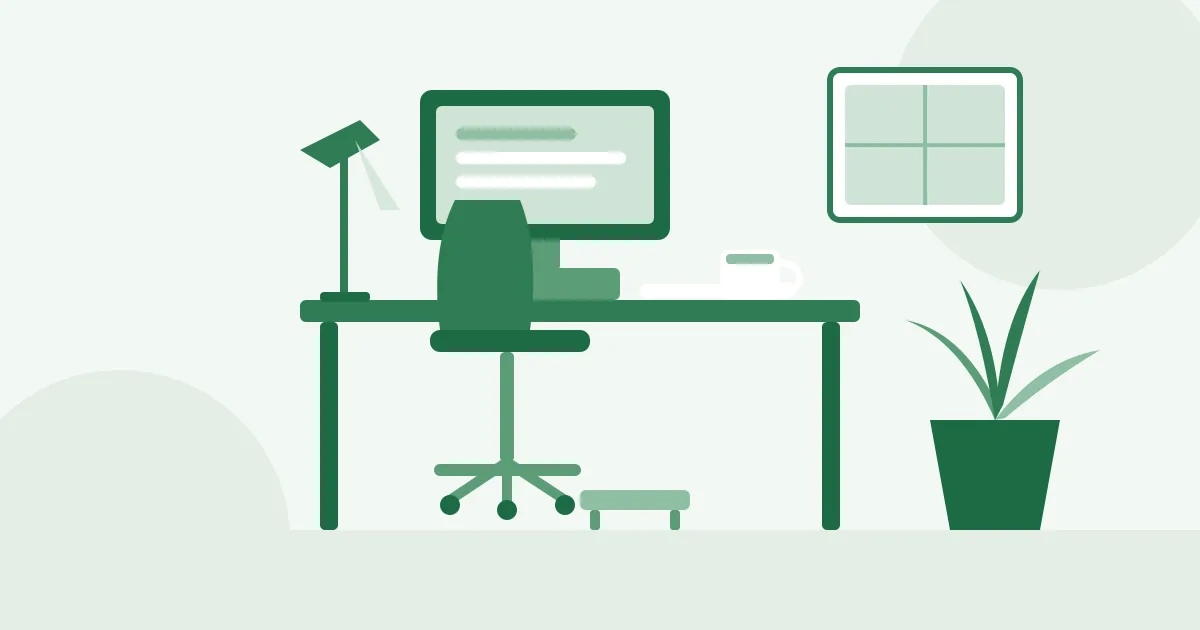
- Aim for a neutral, supported position, not a rigid one. Feet flat on the floor or a footrest, thighs roughly parallel to the floor, back supported, shoulders relaxed, elbows close to your body and bent at about 90 to 120 degrees, wrists straight and head level.
- Put the screen in the right place. OSHA recommends at least 20 inches from your eyes (usually 20 to 40 inches), directly in front of you, with the top line at or below eye level.
- Move every half hour. Short breaks of 1 to 2 minutes every 30 minutes reduced sitting at work by about 40 minutes a day in a Cochrane review, compared with two long breaks.
- Change position often. OSHA describes several acceptable working postures and advises varying them through the day. Your best posture is your next one.
- Add a few minutes of desk stretches and some strength work. For office workers with neck pain, neck and shoulder strengthening has moderate quality evidence behind it.
Why posture advice has changed
There is no single perfect posture
For decades, people were told that slouching causes back pain and that an upright, straight back prevents it. The evidence is weaker than that message suggests.
In 2020, researchers published an umbrella review in the Journal of Biomechanics that pooled 41 systematic reviews on spine posture, sitting, standing, bending, lifting and low back pain. They found both positive and null associations. Results from meta analyses leaned toward an association, while reviews that included only prospective studies, which follow people over time, gave less consistent results. Their conclusion: despite many reviews, there is no consensus that these physical exposures cause low back pain. Association has been documented, but it does not explain why back pain happens.
That does not mean your setup is irrelevant. It means posture is one factor among many, and the goal is comfort and variety rather than holding a textbook shape all day. People with upright postures get back pain, and people who slouch often do not.
Why desk work still leaves you stiff
Even if no posture is "bad" in itself, staying in the same position for hours tends to feel uncomfortable. Mayo Clinic notes that no matter how well your workspace is set up, sitting in the same position for hours at a time is not good for your body, and recommends getting up, walking around and shifting position through the day. OSHA makes the same point: it describes four reference postures (upright sitting, standing, declined sitting and reclined sitting) and advises varying your position throughout the day rather than holding one for long periods.
A good workstation makes the neutral positions easy to reach. Movement breaks stop you from staying in any one of them too long. Stretching and strengthening help the muscles that do the holding.
Step 1: Set up your desk and chair
The details below come from the OSHA Computer Workstations eTool and the Mayo Clinic office ergonomics guide. Start with the chair, because its height decides where everything else goes.
Chair
- Height. Adjust the seat so your feet rest flat on the floor and your thighs are roughly parallel to it, with your knees at about the same height as your hips. If your desk forces the chair so high that your feet dangle, use a footrest. Mayo Clinic suggests a small stool or a stack of sturdy books if you do not have one.
- Back support. OSHA advises a backrest that follows the natural curve of your spine and gives support to the lower back. Sit back into it rather than perching on the front edge. A rolled towel or small cushion can fill the gap at your lower back on a chair without lumbar support.
- Armrests. If your chair has them, set them so your arms rest gently with your elbows close to your body and your shoulders relaxed. Armrests that are too high push your shoulders up; too low and you lean to one side.
- Seat depth. You should be able to sit back against the backrest without the front edge of the seat pressing into the back of your knees.
Keyboard and mouse
Place the keyboard directly in front of you so your wrists and forearms are in line and your shoulders are relaxed. Mayo Clinic advises keeping your wrists straight, your upper arms close to your body and your hands at or slightly below the level of your elbows while you type or use the mouse. Keep the mouse on the same surface as the keyboard and within easy reach, so you are not stretching your arm out to the side for hours.
If the edge of your desk is hard and square, Mayo Clinic suggests padding it or using a wrist rest to avoid contact stress, the pressure that builds up when a hard edge presses into your wrists or forearms.
Monitor
OSHA's recommendations for the screen are some of the most specific in workplace ergonomics:
- Distance: at least 20 inches from your eyes, with 20 to 40 inches as the usual range. Mayo Clinic describes this as about an arm's length.
- Height: the top line of the screen at or below eye level, so the center of the screen sits about 15 to 20 degrees below your horizontal line of sight. This lets you look slightly down without bending your neck forward.
- Position: directly in front of you, behind the keyboard, so you do not twist your neck to see it.
- Bifocals: Mayo Clinic suggests lowering the monitor an extra 1 to 2 inches so you are not tipping your head back to read through the lower part of your lenses.
- Glare: OSHA advises tilting and positioning the screen to cut glare from windows and overhead lights, which otherwise tempts you to lean in or crane to one side.
Laptops
Laptops are the hardest setup to get right because the screen and keyboard are joined. If the screen is at eye level, the keyboard is too high; if the keyboard is at elbow height, the screen is too low and your head tips forward. Mayo Clinic suggests using a separate keyboard and mouse with a laptop stand at your desk, so you can place each part where it belongs. When you have to work on the laptop alone, take more frequent breaks.
Phone and frequently used items
Keep things you reach for often, such as your phone, notebook and water, close to your body. Stand up to get anything you cannot comfortably reach while sitting. If you spend a lot of time on calls, use a headset or speaker rather than wedging the phone between your ear and shoulder, which Mayo Clinic specifically advises against.
Desk setup checklist
Use this table to check your workstation in about five minutes.
| Part | What to aim for | Quick check | Source |
|---|---|---|---|
| Chair height | Feet flat on the floor or a footrest, thighs roughly parallel to the floor, knees about level with hips | Can you slide a hand under your thighs at the front of the seat without force? | OSHA, Mayo Clinic |
| Backrest | Supports the natural curve of your lower back | Can you sit back fully and feel support at your waist? | OSHA |
| Armrests | Arms rest lightly, elbows close to the body, shoulders relaxed | Do your shoulders drop when you rest your arms? | Mayo Clinic |
| Elbows | Bent at about 90 to 120 degrees | Are your forearms roughly level or sloping slightly down? | OSHA |
| Keyboard and mouse | Directly in front, wrists straight, hands at or slightly below elbow height | Can you type without bending your wrists up or sideways? | Mayo Clinic |
| Monitor distance | At least 20 inches, usually 20 to 40 inches | Roughly an arm's length away | OSHA, Mayo Clinic |
| Monitor height | Top line at or below eye level; center about 15 to 20 degrees below | Do you look slightly down at the middle of the screen? | OSHA |
| Laptop | Raised screen plus separate keyboard and mouse | Is your head level while you type? | Mayo Clinic |
| Phone | Headset or speaker for long calls | Never cradled between ear and shoulder | Mayo Clinic |
| Under the desk | Clear room for legs and feet | Nothing stored where your feet should go | Mayo Clinic |
What to look for if you are buying equipment
Walkerset does not recommend specific brands. If you are choosing a chair or accessories, the features that matter come straight from the OSHA guidance: a seat that adjusts in height, a backrest that supports your lower back and can be adjusted, armrests that adjust or can be moved out of the way, and a stable five leg base. OSHA also suggests trying a chair before buying where possible. For monitors and laptops, the key features are a stand that adjusts in height and a separate keyboard and mouse. Many of these fixes cost little or nothing: a stack of books under a monitor, a cushion behind your back or a box under your feet often does the job.
Step 2: Build movement breaks into your day
What the evidence says about breaking up sitting
The strongest practical evidence for desk workers is not about how you sit but how long you sit without a break. A Cochrane review of workplace interventions for reducing sitting, updated in 2018, pooled studies of sit stand desks, break reminders, counseling and other approaches.
Its key findings were:
- Short, frequent breaks of 1 to 2 minutes every half hour reduced time spent sitting at work by about 40 minutes a day compared with two 15 minute breaks per workday (one study, low quality evidence).
- Sit stand desks, alone or with information and counseling, reduced sitting at work by an average of 100 minutes per workday at short term follow up of up to three months (10 studies, low quality evidence).
- At 3 to 12 months, the effect of sit stand desks was smaller: about 57 minutes less sitting per day in two studies.
- Sit stand desks also cut total daily sitting, at work and outside it, by about 82 minutes, and reduced time spent in sitting bouts lasting 30 minutes or more by about 53 minutes a day (very low quality evidence).
- Computer prompts combined with information did not change sitting time significantly in the short term, but produced a reduction of about 55 minutes a day at medium term follow up in one study.
The review authors judged most of this evidence low quality, mainly because the studies were small and not always well designed, and they noted that the health benefits of these changes are still unproven. Still, the pattern is consistent: the setup and habits that get you out of your chair more often reduce sitting.
Sit stand desks: helpful, not magic
A sit stand desk makes it easy to change position, which fits the "your next posture is your best posture" idea. In the Cochrane review, standing more did not produce harmful effects such as musculoskeletal pain or lower productivity in the included studies. But Cochrane's own summary is cautious: the potential health benefits are very uncertain, and standing instead of sitting hardly increases energy expenditure, so it should not be expected to help with weight loss.
If you have one, use it to alternate: for example, stand for part of each hour or for calls, and sit for focused work. Standing still for hours is just another static posture. If you do not have one, short walking and standing breaks give you much of the same variety for free.
Easy ways to move more at a desk job
- Set a 30 minute cue. Use a timer, the end of each task or each meeting as your reminder to stand up for 1 to 2 minutes.
- Stand for calls. Phone and video calls are natural standing time.
- Walk to talk. Walk to a colleague's desk instead of sending a message, or hold one to one meetings on foot.
- Refill often. A small water glass needs refilling more often than a big bottle, which builds in breaks.
- Use the far printer, kitchen or restroom. A few extra steps each trip add up over a day.
- Walk after lunch. A 10 minute walk after eating is an easy anchor. Our guide on how to make walking a daily habit explains how to make it stick, and our daily steps guide covers how many steps to aim for.
Rest your eyes too
Long screen sessions strain your eyes as well as your neck. The American Academy of Ophthalmology recommends the 20-20-20 rule: every 20 minutes, look at something at least 20 feet away for at least 20 seconds. OSHA gives similar advice: take regular breaks, focus on distant objects and alternate tasks. It pairs well with your movement breaks, and tired eyes are one reason people lean toward the screen.
Step 3: Simple desk stretches
These stretches target the areas desk workers most often notice: neck, upper back, chest, wrists, hips and lower back. They are meant as quick resets during the day, not a full flexibility program. Do one or two during each movement break, or run through all six in about five minutes.
General rules: move slowly, stretch to mild tension rather than pain, breathe normally and hold each stretch for about 15 to 30 seconds. Stop if you feel sharp pain, numbness, tingling or dizziness.
1. Chin tuck
- Sit tall with your head level and eyes looking forward.
- Gently draw your chin straight back, as if making a double chin, without tipping your head down.
- Hold for a few seconds, relax and repeat 5 to 10 times.
This is a useful counter to the head drifting toward the screen. It should feel like a gentle stretch at the base of the skull, not a strain.
2. Shoulder rolls and shoulder blade squeeze
- Roll your shoulders up, back and down slowly, 5 to 10 times.
- Then squeeze your shoulder blades gently together and down, as if tucking them into your back pockets. Hold for 5 seconds and repeat 5 times.
3. Seated upper back stretch
- Clasp your hands in front of you at chest height, palms facing away.
- Push your hands forward and round your upper back, letting your head drop gently between your arms.
- Feel the stretch between your shoulder blades. Hold, then relax.
4. Chest opener
- Sit toward the front of your chair or stand up.
- Clasp your hands behind your back, or hold the sides of the chair seat, and gently draw your shoulders back and down to open the front of your chest.
- Hold, breathing slowly.
For a deeper version, our daily stretching routine includes a doorway chest stretch and a neck side stretch with full instructions.
5. Wrist and forearm stretch
- Hold one arm straight out in front of you, palm up.
- With the other hand, gently bend the fingers down and back toward you until you feel a stretch along the inside of the forearm.
- Hold, then turn the palm down and gently bend the hand toward you to stretch the top of the forearm. Switch arms.
6. Standing hip flexor and back stretch
- Stand up and take a comfortable step forward with one foot, as if in a short lunge, holding the desk for balance.
- Tuck your hips under slightly and shift your weight forward until you feel a stretch at the front of the back hip.
- Hold, then switch sides. Finish by placing your hands on your hips and gently leaning back a little to reverse the forward bend of sitting, only as far as feels comfortable.
A sample desk day
| Time | Movement | About how long |
|---|---|---|
| Every 30 minutes | Stand up, chin tucks, shoulder rolls, look into the distance | 1 to 2 minutes |
| Mid morning | Upper back stretch, chest opener, wrist stretch | 2 minutes |
| After lunch | Brisk walk | 10 minutes |
| Mid afternoon | Hip flexor stretch, short walk for water | 2 to 3 minutes |
| On calls | Stand or walk | Length of the call |
| After work | Full stretching routine or strength session | 10 to 30 minutes |
Step 4: Strengthen the muscles that hold you up
Stretching feels good in the moment, but the evidence for preventing and easing desk related neck pain points more toward strength and fitness.
A 2018 systematic review and meta analysis in Physical Therapy looked at 27 randomized trials of workplace interventions for neck pain in office workers. It found moderate quality evidence that neck and shoulder strengthening exercises and general fitness training reduced neck pain in office workers who already had symptoms. A 2023 review in Applied Ergonomics reached a more cautious conclusion, rating the evidence that strengthening reduces neck pain and disability in office workers with chronic neck pain as low certainty, so the benefits are promising rather than proven.
The strengthening programs in these studies typically used simple dumbbell or band exercises such as shoulder shrugs, lateral raises, front raises and reverse flies a few times a week. A general approach that fits the evidence:
- Do full body strength training at least 2 days a week, as the CDC recommends for all adults, including back, shoulders and chest. Our strength training guide for beginners gives a starter plan, and our home workout with no equipment works if you cannot get to a gym.
- Include pulling movements such as rows, which work the upper back muscles that help hold your shoulders back.
- Stay generally active. The CDC recommends at least 150 minutes of moderate activity such as brisk walking a week and advises adults to move more and sit less. Our guide on how much exercise you need explains the full guidelines.
Common desk posture myths
"Sitting up perfectly straight all day is best"
Holding any position rigidly is tiring. OSHA's own guidance shows several acceptable postures, including slightly reclined sitting, and recommends changing between them. A backrest you can lean into is often more comfortable than sitting bolt upright on your own.
"Slouching will damage your spine"
The 2020 umbrella review found no consensus that specific spine postures cause low back pain. Slumping for a few minutes is not dangerous. The issue is staying in any position for a long time.
"A new chair or standing desk will fix my posture"
Equipment can make a good position easier, but movement habits matter at least as much. Cochrane found that sit stand desks reduce sitting time, but the health benefits are still uncertain.
"Stretching alone will solve neck pain"
Stretches can ease stiffness, but the stronger evidence for office workers with neck pain is for strengthening and general fitness. Combining both is reasonable.
Safety and when to see a doctor
Most desk related stiffness improves with a better setup, regular movement and some exercise. Get medical advice in these situations:
- See a doctor or physical therapist if neck, shoulder, back or wrist pain lasts more than a few weeks, keeps coming back or gets worse despite changes to your setup and habits.
- Get checked promptly if you have numbness, tingling or weakness in your arms, hands or legs, pain that spreads down an arm or leg, or pain that wakes you at night.
- Seek urgent care for back pain with loss of bladder or bowel control, numbness around the groin or buttocks, or pain after a fall or injury.
- Check with a doctor first before starting new strengthening exercises if you have a known spine, joint or heart condition, are recovering from surgery or are pregnant.
- Never push through sharp pain during a stretch or exercise.
The bottom line
Good desk posture is not a single position you hold all day. Set up your workstation so a comfortable, neutral position is easy: feet supported, thighs roughly level, back supported, elbows close to your body, wrists straight, and the screen about an arm's length away with the top at or just below eye level. Then change position often.
The habit with the most practical evidence is moving regularly: stand up or walk for 1 to 2 minutes every half hour, rest your eyes with the 20-20-20 rule and use a sit stand desk if you have one to alternate positions. Add a few desk stretches for stiffness and at least two strength sessions a week for the long term. For a full flexibility routine to pair with this guide, see our daily stretching routine, and explore more practical guides in our areas of expertise.
This article is general information, not medical advice.
Frequently asked questions
What is the correct sitting posture at a desk?
There is no single correct posture. Guidance from OSHA describes a neutral starting point: feet supported, thighs roughly parallel to the floor, back supported by the chair, shoulders relaxed, elbows close to your body and bent at about 90 to 120 degrees, wrists straight and head level. From there, change position often rather than holding any one posture for hours.
How high should my computer monitor be?
OSHA and Mayo Clinic advise setting the top line of the screen at or slightly below eye level, so you look slightly down at the middle of the screen. OSHA says the center of the screen should usually sit about 15 to 20 degrees below eye level. If you wear bifocals, Mayo Clinic suggests lowering the monitor another 1 to 2 inches.
How far away should my screen be?
OSHA recommends at least 20 inches between your eyes and the screen, with 20 to 40 inches as the usual range. A simple check is roughly an arm's length away. If you lean forward to read, make the text bigger or move the screen closer rather than craning your neck.
Does bad posture cause back pain?
The evidence is weaker than most people think. A 2020 umbrella review of 41 systematic reviews found both positive and null associations between sitting, posture and low back pain and concluded there is no consensus that these exposures cause it. Staying in any position for a long time can feel uncomfortable, which is why moving often is the most practical advice.
How often should I take a break from sitting?
A practical rule is to stand up or move for 1 to 2 minutes every 30 minutes. In the Cochrane review on reducing sitting at work, this pattern reduced daily sitting at work by about 40 minutes compared with two 15 minute breaks. For your eyes, the American Academy of Ophthalmology suggests looking at something 20 feet away for 20 seconds every 20 minutes.
Is a standing desk better than a regular desk?
A sit stand desk can help you sit less: in the Cochrane review, people using one sat about 100 fewer minutes per workday in the short term. But the evidence is low quality, standing still all day is not the goal and health benefits are unproven. Alternating between sitting, standing and walking is a sensible approach.
Can exercise help with neck pain from desk work?
Yes, for many people. A 2018 systematic review of 27 trials found moderate quality evidence that neck and shoulder strengthening exercises and general fitness training reduced neck pain in office workers who already had symptoms. See a doctor or physical therapist if pain persists, spreads into your arm or comes with numbness or weakness.
Sources
- Occupational Safety and Health Administration: Computer Workstations eTool, Monitors
- Occupational Safety and Health Administration: Computer Workstations eTool, Good Working Positions
- Occupational Safety and Health Administration: Computer Workstations eTool, Chairs
- Mayo Clinic: Office ergonomics, your how to guide (2023)
- Shrestha N et al. Workplace interventions for reducing sitting at work. Cochrane Database of Systematic Reviews, 2018
- Cochrane: Featured Review, Workplace interventions for reducing time spent sitting at work
- Swain CTV, Pan F, Owen PJ, Schmidt H, Belavy DL. No consensus on causality of spine postures or physical exposure and low back pain: A systematic review of systematic reviews. Journal of Biomechanics, 2020
- Chen X et al. Workplace-Based Interventions for Neck Pain in Office Workers: Systematic Review and Meta-Analysis. Physical Therapy, 2018
- The influence of exercise on pain, disability and quality of life in office workers with chronic neck pain: A systematic review and meta-analysis. Applied Ergonomics, 2023
- American Academy of Ophthalmology: Eye Strain and Sleepy Eyes, How to Prevent Eye Discomfort
- Centers for Disease Control and Prevention: Adult Activity, An Overview
This article is general information about exercise and healthy living, not medical advice. If you have a health condition, an injury or are pregnant, talk to a doctor or qualified professional before changing your activity.